DAVx⁵ – CalDAV CardDAV WebDAV
bitfire web engineeringProductivity
4.3164.00 Reviews
- Version
- 4.5.19-gplay
- Installs
- 100.00K
- Age Rating
- Everyone
Screenshots
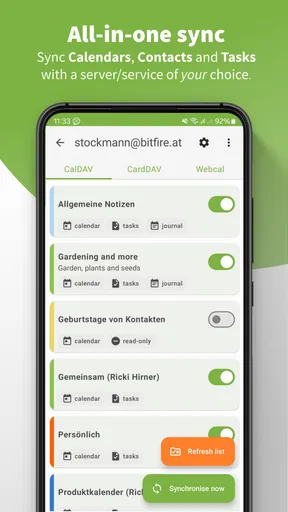
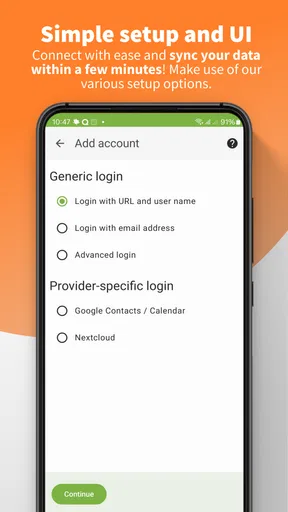
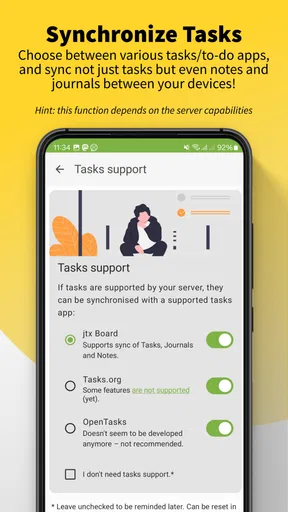
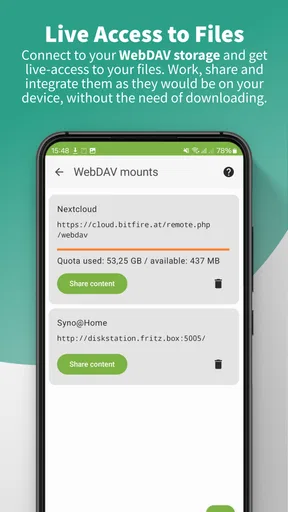
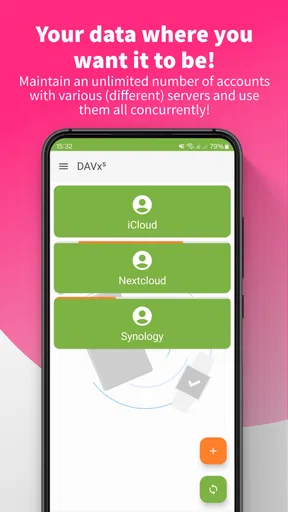
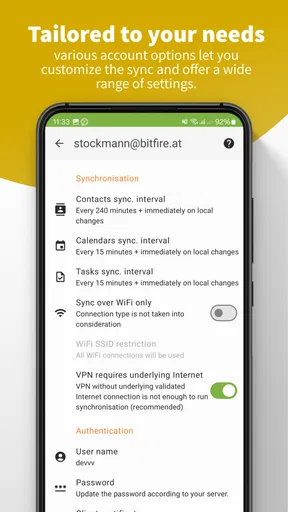
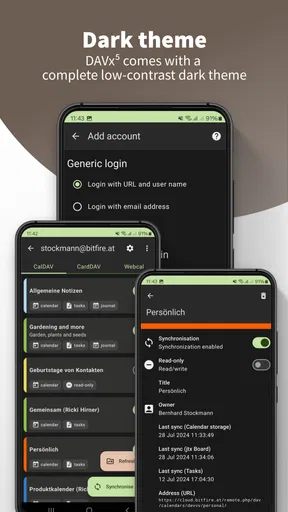
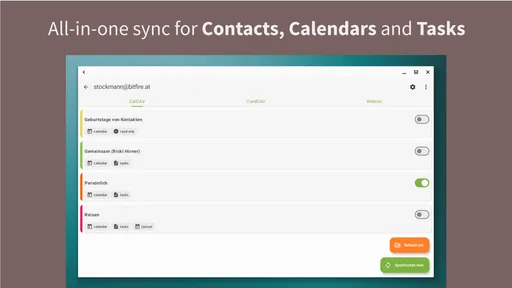
Our Review of DAVx⁵ – CalDAV CardDAV WebDAV
 Analysis by Appyee
If you're like me and you’ve got your life scattered across multiple platforms, then you’re probably always on the lookout for a way to bring everything together. Enter DAVx⁵. This app is the ultimate bridge between your Android device and your favorite cloud services like CalDAV, CardDAV, and WebDAV. Let's dive into why DAVx⁵ could be your new best friend in the world of productivity.
Where the Setup Can Get Stuck
The part that deserves the most patience is not installing the app; it is knowing what details your server expects. DAVx⁵ connects to services that use CalDAV, CardDAV, or WebDAV, so an ordinary account password or a general cloud login page may not be enough. Before you begin, check that your provider supports the relevant protocol and find the server address and sign-in method it requires. If your organization uses a separate password for third-party apps, use the credentials it has issued for that purpose.
A useful way to avoid guesswork is to test one account first, rather than entering several services and trying to diagnose them all at once. Keep the provider’s setup instructions close by, and copy the address carefully; a small typo or an incorrect server path can look like an app problem. If the account uses a work-managed server, ask the administrator which address and access method to use instead of trying random variations.
What’s the Deal with DAVx⁵?
So, what makes DAVx⁵ stand out in the sea of productivity apps? In simple terms, it’s an open-source solution that syncs your contacts, calendars, and tasks between your Android device and any CalDAV, CardDAV, or WebDAV server. This might sound like techy jargon, but trust me, if you've got stuff spread across different platforms, this app is a lifesaver.
That protocol-based approach is also the main difference from a typical all-in-one calendar or contacts app. Those apps often expect you to use their own account system; DAVx⁵ is useful when the information already lives on a compatible server and you want it available through Android’s familiar apps. It is therefore a connector, not a replacement for the service that stores your information. If you only need a calendar tied to one mainstream account and its existing app already does the job, adding another layer may not make your routine simpler.
Setting Up: Easier Than You’d Think
I know what you're probably thinking: "Another app to set up? Hard pass." But hear me out. The setup process for DAVx⁵ is surprisingly straightforward. You download the app, input your server details, and boom—you’re good to go. The app walks you through the process pretty intuitively, and there’s a handy-dandy wizard to help you along the way. No tech wizardry required.
In practice, I’d still treat the first setup as a short check rather than assume every provider behaves identically. Confirm that the correct account and server are selected, then see whether the calendars, address books, or task lists you expect are available. If only some appear, that can point to what the server account exposes rather than a failure to connect. Starting with a single account makes this distinction much easier to spot.
Syncing: Smooth as Butter
Once you’ve got it set up, syncing is where DAVx⁵ really shines. The app ensures your contacts, calendars, and tasks are always up-to-date across your devices. Whether you’re adding a new event or updating a contact, changes happen in real-time. Honestly, it’s like having a personal assistant who never sleeps.
For a realistic everyday example, imagine adding a meeting to a calendar on your phone while heading out, then opening the same calendar elsewhere later. DAVx⁵ is the link that lets Android’s calendar data work with the compatible server, so you do not need to manually recreate the entry in a separate service. I would still check that a change has synced before relying on it for something time-sensitive, especially after first connecting an account or changing its credentials.
One practical habit is to make a small, easy-to-recognize test change during initial setup, then check the corresponding calendar or contact from another place that uses the same account. This helps distinguish a successful local edit from a change that has reached the server. It is also a good way to catch a mismatch between the account you intended to use and the one selected in the app before your daily information is split between them.
Privacy and Security: You’re in Good Hands
One thing that really caught my attention is how much emphasis DAVx⁵ places on privacy and security. It’s open-source, so you can peek under the hood if you're into that sort of thing. They don’t store your data on their servers, which means you retain full control over your personal information. In a world where data breaches are as common as coffee spills, this is a big plus.
That control comes with a responsibility: the server account you connect remains an important part of the setup. Use the sign-in details intended for that service, and take care when choosing which work or personal account to add on a shared device. Open-source availability may reassure people who value inspectable software, but it does not remove the need to protect account credentials or to understand the policies of the server provider holding the data.
Getting the Most Out of DAVx⁵
DAVx⁵ isn’t just about syncing—it’s about enhancing how you manage your data. The app offers support for multiple accounts, which is perfect if you're juggling personal, work, and other commitments. Plus, it integrates seamlessly with other apps like OpenTasks and ICSx⁵ for a fully connected experience. It’s like having your digital life all tied up in a neat little bow.
Multiple accounts are especially helpful when you want a clear boundary between a personal calendar and a work address book, without treating them as one big collection. I’d add accounts deliberately and give each one a quick check in the Android app where its information appears. That makes it easier to notice whether an event or contact belongs to the intended account, and it avoids the confusing habit of entering the same item in two places just to make it show up.
The trade-off is that a smooth workflow depends on the apps and server at both ends. DAVx⁵ can connect compatible data, but it does not make every calendar, task list, or contact service interchangeable. If a task does not appear where you expect, check that the service actually provides the relevant data and that the app you use can display it. Pairing it with a compatible task app can make the overall setup more useful, but the connector alone is not a complete task-management system.
Performance and Usability: A Seamless Experience
Let’s talk about performance. I’ve been using DAVx⁵ for a while now, and it’s been smooth sailing. The app runs quietly in the background, so it doesn’t drain your battery or hog your phone’s resources. The user interface is clean and intuitive, so even if you’re not the most tech-savvy person, you’ll find it pretty easy to navigate.
If a change seems delayed, I would first check the basics before removing the account or setting it up again: confirm the phone has a working connection, check that the account still signs in, and verify the item in the calendar or contacts app you normally use. Then make sure you are looking at the right account or calendar. These simple checks can separate a sync issue from a display or selection issue, and they are less disruptive than rebuilding a working setup.
A Few Things to Keep in Mind
While DAVx⁵ is a fantastic tool, it's worth noting that its strength lies in its integration capabilities. If you aren't already using CalDAV, CardDAV, or WebDAV services, you might need to set those up separately. But once you’re over that small hurdle, the app becomes an indispensable part of your productivity arsenal.
It is also not the right choice for someone who wants a ready-made cloud account and a polished planning space in one place. A mainstream calendar service may be easier if you do not care which protocol carries your information and simply want to sign in and start scheduling. DAVx⁵ makes more sense when you already have a compatible server, need Android access to its data, or prefer to keep different providers connected through a common workflow.
Another point is that while the app is free on F-Droid, there's a small fee on Google Play. But honestly, given the functionality, it’s a small price to pay for peace of mind and seamless organization.
On Google Play, the listed price is $6.49, and optional in-app purchases range from $3.49 to $22.99 per item. The app is developed by bitfire web engineering, has an Everyone content rating, and its current version is 4.5.10-gplay. It has been available since October 6, 2013, with Android 7.0 as the minimum OS requirement. Those details make it worth checking device compatibility and the purchase route that suits you before setting up several accounts.
For a sense of its audience, DAVx⁵ has an average rating of 4.3 from around 3.8 thousand ratings, with 161 written reviews and over 100 thousand installs. I would read that as evidence of a well-established tool for a specific need, not a promise that every server will be effortless. The main question is whether your services speak the protocols it supports and whether you are comfortable managing the connection between them.
When a Sync Problem May Be Elsewhere
Not every missing item means DAVx⁵ has stopped working. An event may be saved to a different calendar, a contact may be associated with another account, or a server may not expose the collection you expect. Check the item in the app where you created it, confirm which account owns it, and compare it with the same account’s view elsewhere. If only one collection is affected, that is a useful clue to investigate the collection or provider rather than wiping the whole setup.
For work accounts, access rules can also change outside the app. If a password has been changed or an administrator has adjusted access, the connection may need the current sign-in details or guidance from the organization. I would avoid repeatedly entering guesses: it can waste time and, depending on the service, may create account-access trouble. A quick check with the provider is often the sensible next step.
Final Thoughts: Is DAVx⁵ Worth It?
In the end, DAVx⁵ is a game-changer for anyone needing a reliable way to keep their digital life in harmony. If you’re dealing with multiple platforms and you want a seamless, secure, and efficient way to manage your data, this app is definitely worth giving a spin. It simplifies your life, keeps you organized, and ensures your data stays safe and sound. Give it a go—you might just wonder how you ever lived without it!
My practical recommendation is to choose it when you already rely on compatible CalDAV, CardDAV, or WebDAV services and want their information to fit into your Android routine. It is particularly appealing if you manage separate personal and work accounts or want to avoid maintaining duplicate entries across unrelated apps. If you prefer a single provider’s built-in calendar and contacts with no server details to manage, that provider’s own app is likely the simpler option.
For someone in the first group, I’d start with one account, confirm that the expected collections appear, and test a harmless change before depending on the connection for an important appointment. That modest setup check captures the app’s real appeal: it can make compatible services feel much more at home on Android, while leaving you in control of the accounts and information you bring together.
Verdict
Strengths of DAVx⁵ – CalDAV CardDAV WebDAV
- Seamless sync with multiple calendars.
- Supports a variety of WebDAV servers.
- Open-source with active community support.
- No ads for a distraction-free experience.
- Highly customizable sync options.
Limitations of DAVx⁵ – CalDAV CardDAV WebDAV
- Initial setup can be complex.
- Limited support for non-standard servers.
- Interface may seem outdated to some.
- Requires technical knowledge for advanced features.
- No free tier; app purchase required.
Other Releases by bitfire web engineering
View All
ICSx⁵ – Subscribe to calendars
Productivity4.4
Similar Picks in This Category
View All
Google Calendar
Google LLC4.6

Google Drive
Google LLC4.3

Google Assistant
Google LLC3.9

Microsoft OneDrive
Microsoft Corporation4.6

Samsung Calendar
Samsung Electronics Co., Ltd.4.1

Microsoft OneNote: Save Notes
Microsoft Corporation4.6
Frequently Asked Questions
What is DAVx⁵ and how does it work?
DAVx⁵ is an open-source app designed to synchronize your Android device with CalDAV and CardDAV servers, which are commonly used for syncing calendars and contacts. Once installed, it seamlessly integrates with your existing calendar and contact apps, ensuring that all your data is up-to-date across all devices.
Is DAVx⁵ compatible with all Android devices?
DAVx⁵ is compatible with most Android devices running version 4.1 and up. It's designed to work efficiently across a range of devices, but it's always recommended to check the specific requirements for your device model to ensure optimal performance.
Does DAVx⁵ support multiple accounts and servers?
Yes, DAVx⁵ allows you to manage multiple accounts and servers. This means you can sync data from different sources, such as various email providers or cloud services, all within one app. This flexibility makes it a great tool for users with complex syncing needs.
How secure is the data synchronization with DAVx⁵?
DAVx⁵ prioritizes user privacy and data security. It uses industry-standard encryption protocols to protect your data during transmission. Additionally, being an open-source app, its code is transparent and subject to scrutiny, ensuring that any potential vulnerabilities are quickly identified and addressed by the community.
Are there any costs associated with using DAVx⁵?
DAVx⁵ is available for free with optional in-app purchases. While the core functionality is accessible at no cost, users can choose to support the developers through donations or by purchasing additional features. This model helps maintain and improve the app while keeping it accessible to everyone.
